Annotation
Pin notes and issues directly to your site
What It Is
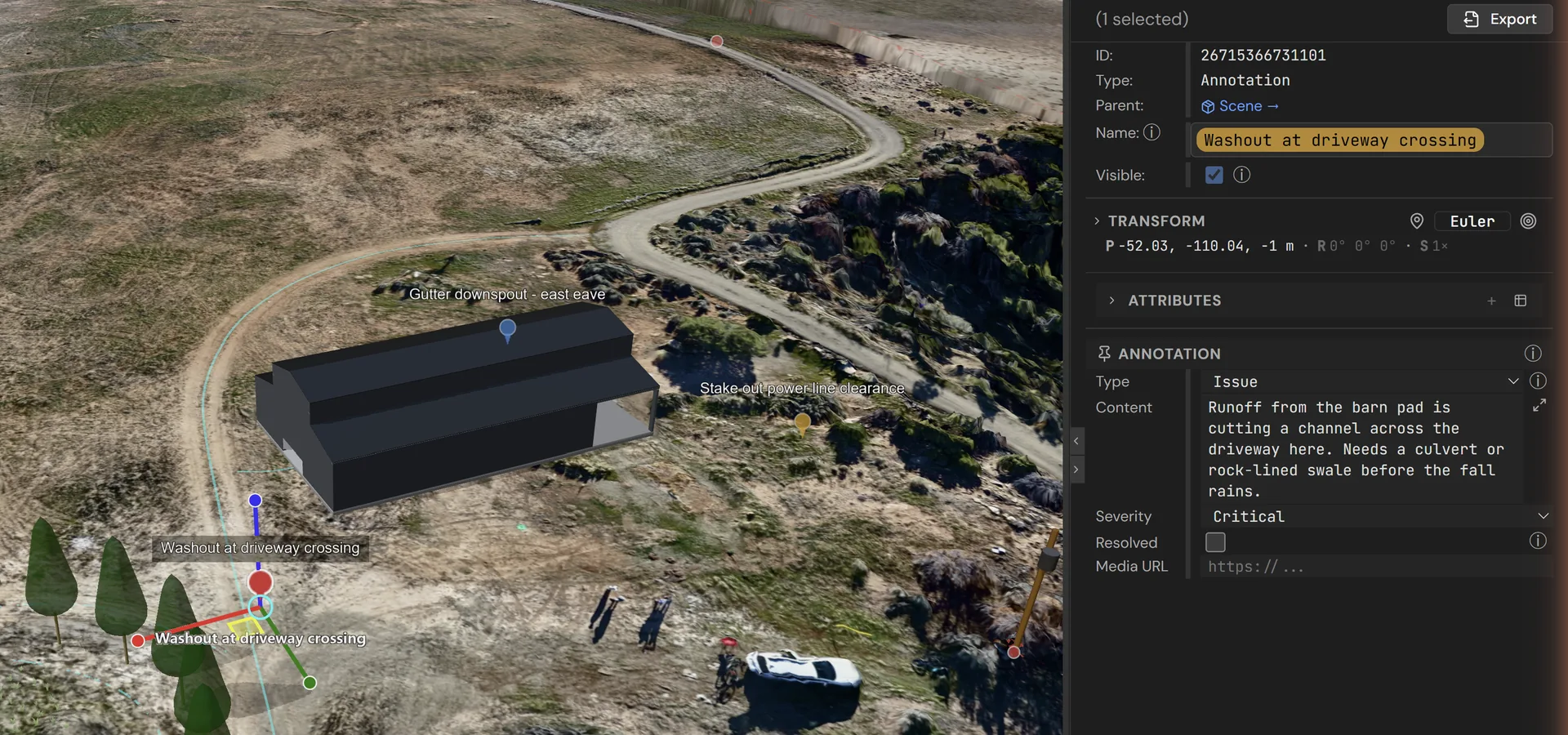
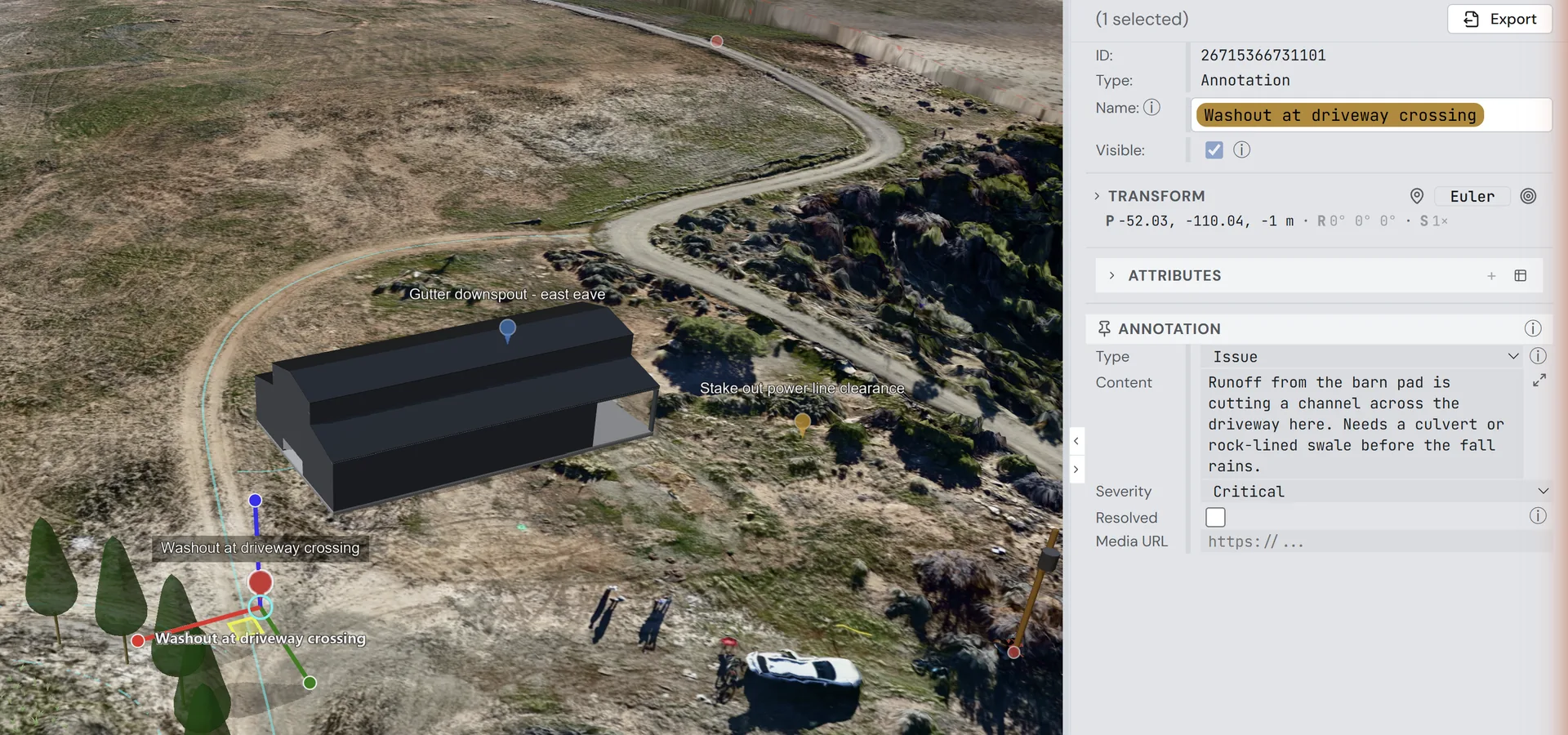
An Annotation is a spatial note, marker, or issue pinned to a precise 3D point on your terrain or structures. Annotations let teams communicate visually — flagging problems, recording observations, and leaving instructions right where they matter. An annotation can stand on its own in the scene or sit inside a component, where it moves with everything else in that component.
Each annotation carries a type — note, marker, photo, issue, or measurement — along with rich text content, a severity level (info, warning, or critical), an optional media URL for photos or documents, and a resolved-at timestamp for tracking when issues are closed. Together these properties turn your 3D scene into a living collaboration board with full audit history.
Key Capabilities
3D Pinning
Attach notes to exact 3D coordinates on terrain or structures, free-standing or inside a component
Moves With Its Group
Annotations inside a component follow it when it moves, and Move to… re-homes one without shifting it
Severity Levels
Mark annotations as info, warning, or critical for prioritization
Rich Content
Write detailed notes describing issues, observations, or instructions
Media Attachments
Link photos, documents, and other media for context
Resolution Tracking
Mark issues as resolved with timestamps for audit trails
Annotation Types
Categorize as notes, markers, photos, issues, or measurements
Use Cases
| Project Managers | Flag construction issues with photos and severity markers |
|---|---|
| Surveyors | Mark field observations and discrepancies at precise locations |
| Homesteaders | Note drainage problems, tree health, or access concerns on a site plan |
| Teams | Communicate spatially — leave notes for collaborators pinned to exact spots |
Try Annotations
Open the editor to pin notes, flag issues with severity levels, and track resolutions — all anchored to precise 3D locations on your site.